iPhone · iPad · Mac
One calendar for each part of your life.
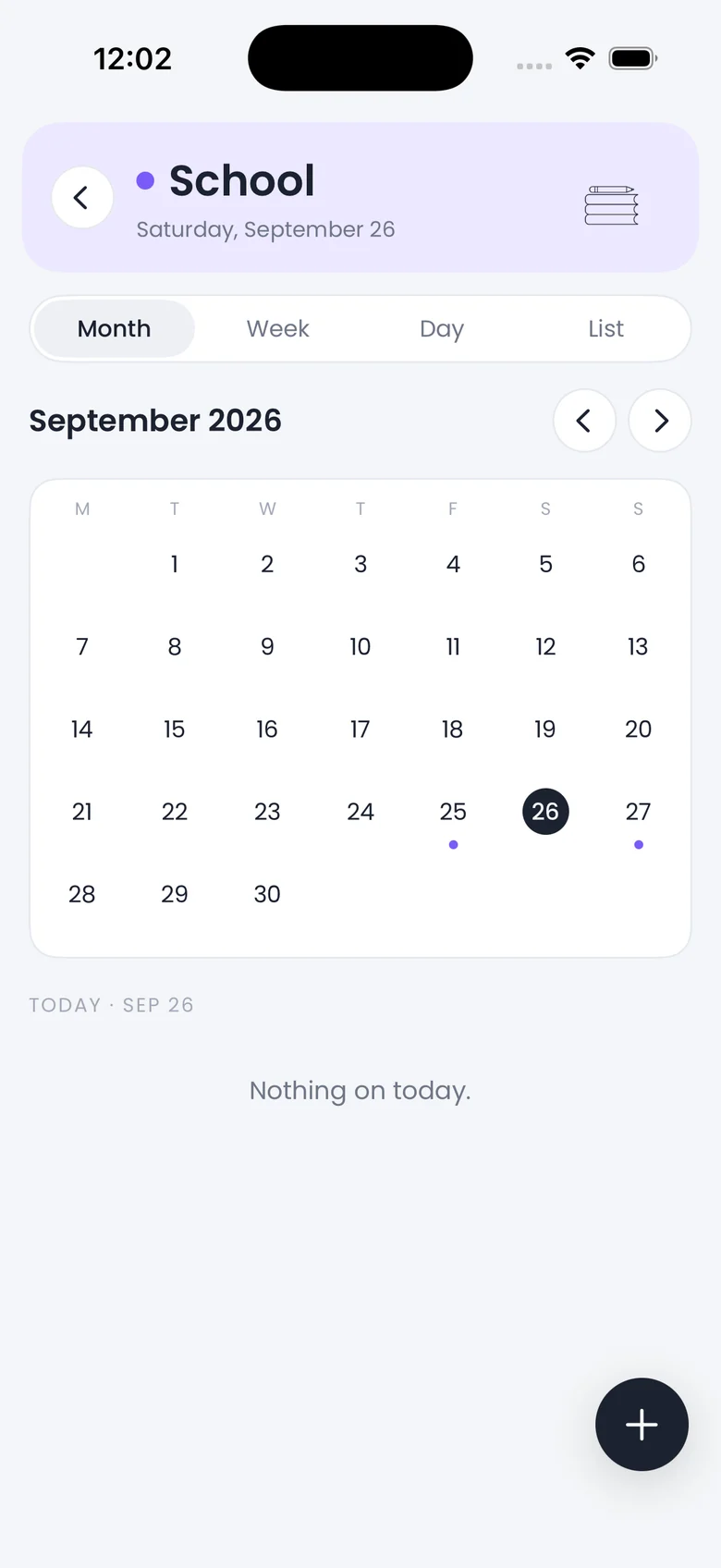
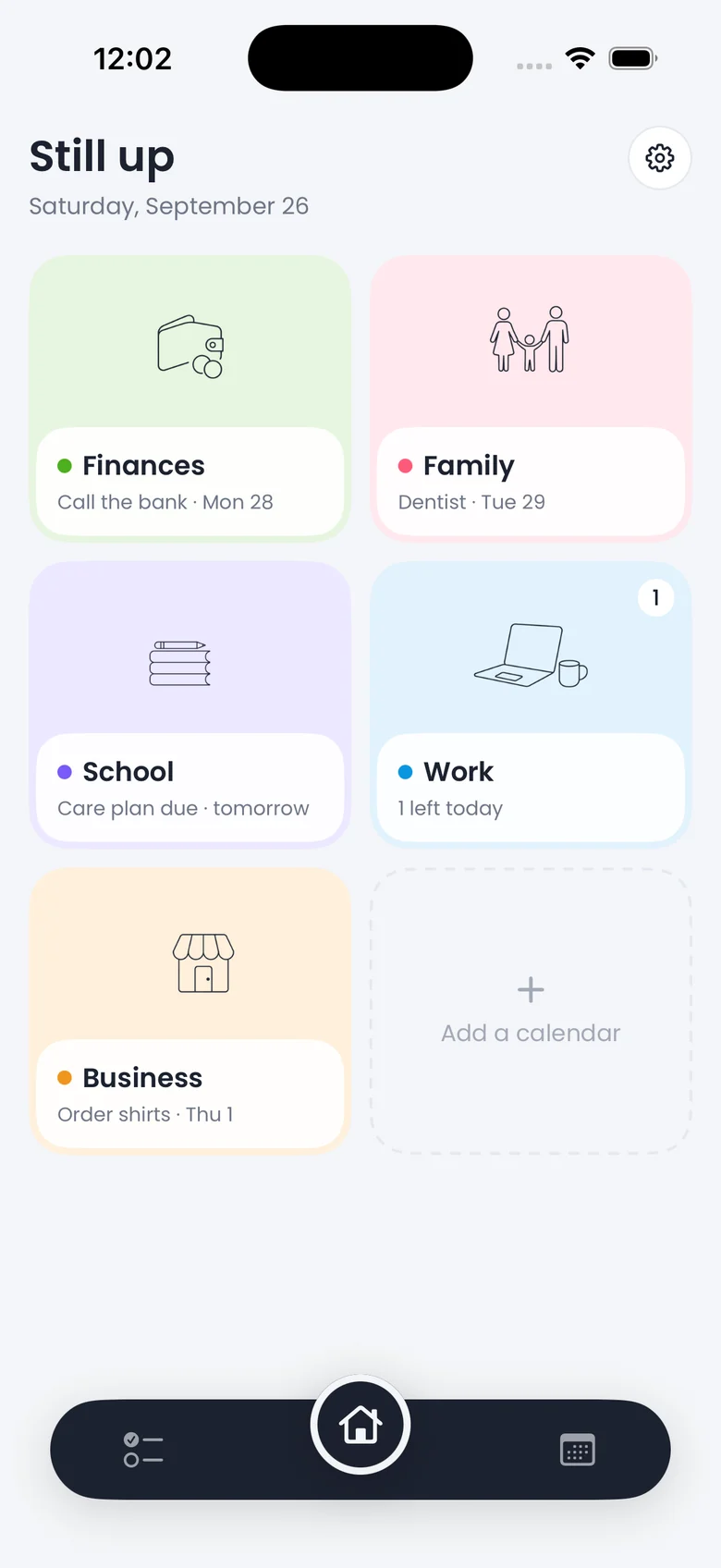
Family, finances, school, work, business. Each gets its own color and its own calendar. One home screen shows them all. Tap one and you're inside a plain, quiet calendar where you add things and tick them off.
Free with one small ad. $2.99 once removes it, forever. No account, no bank login. Nothing leaves your phone.

Color is the calendar
You never read a label to know which life you're looking at.
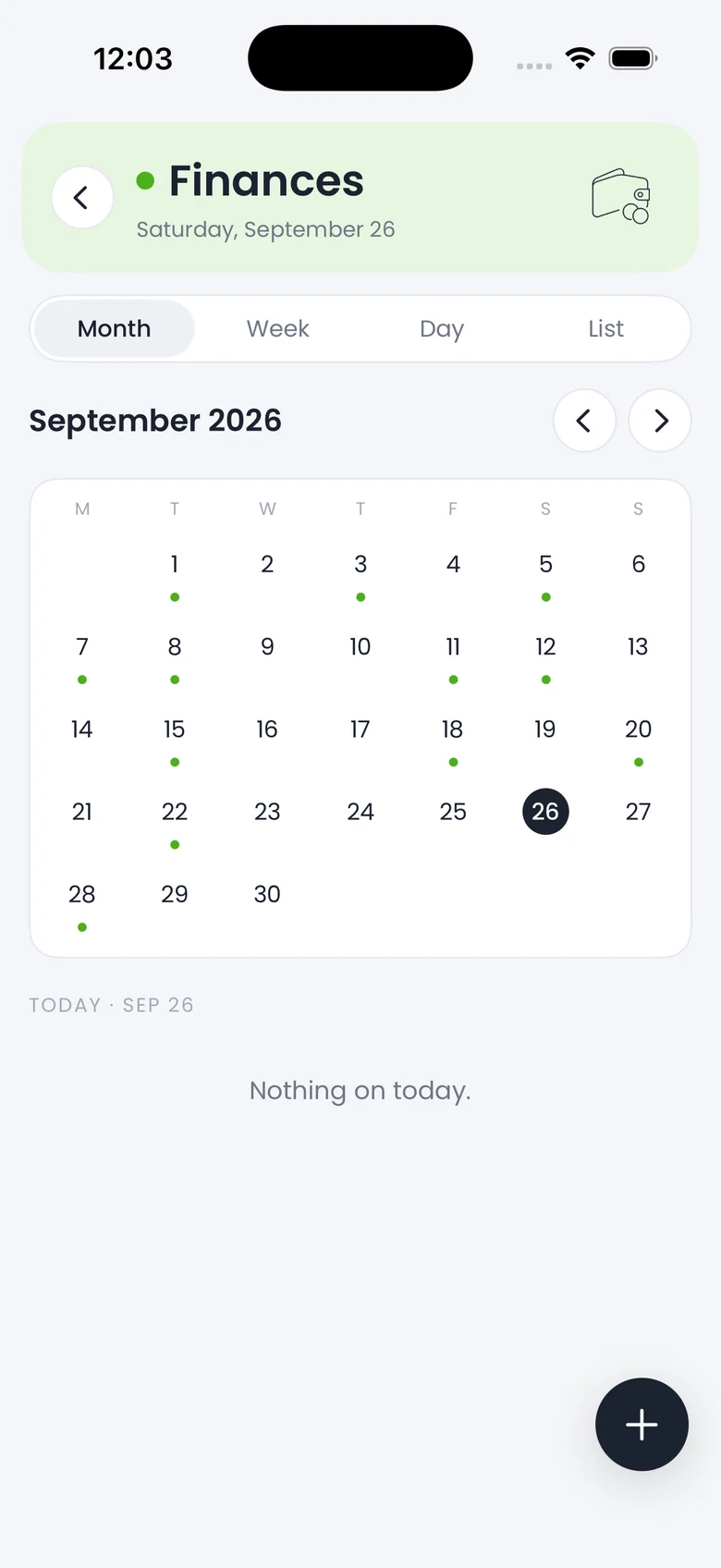
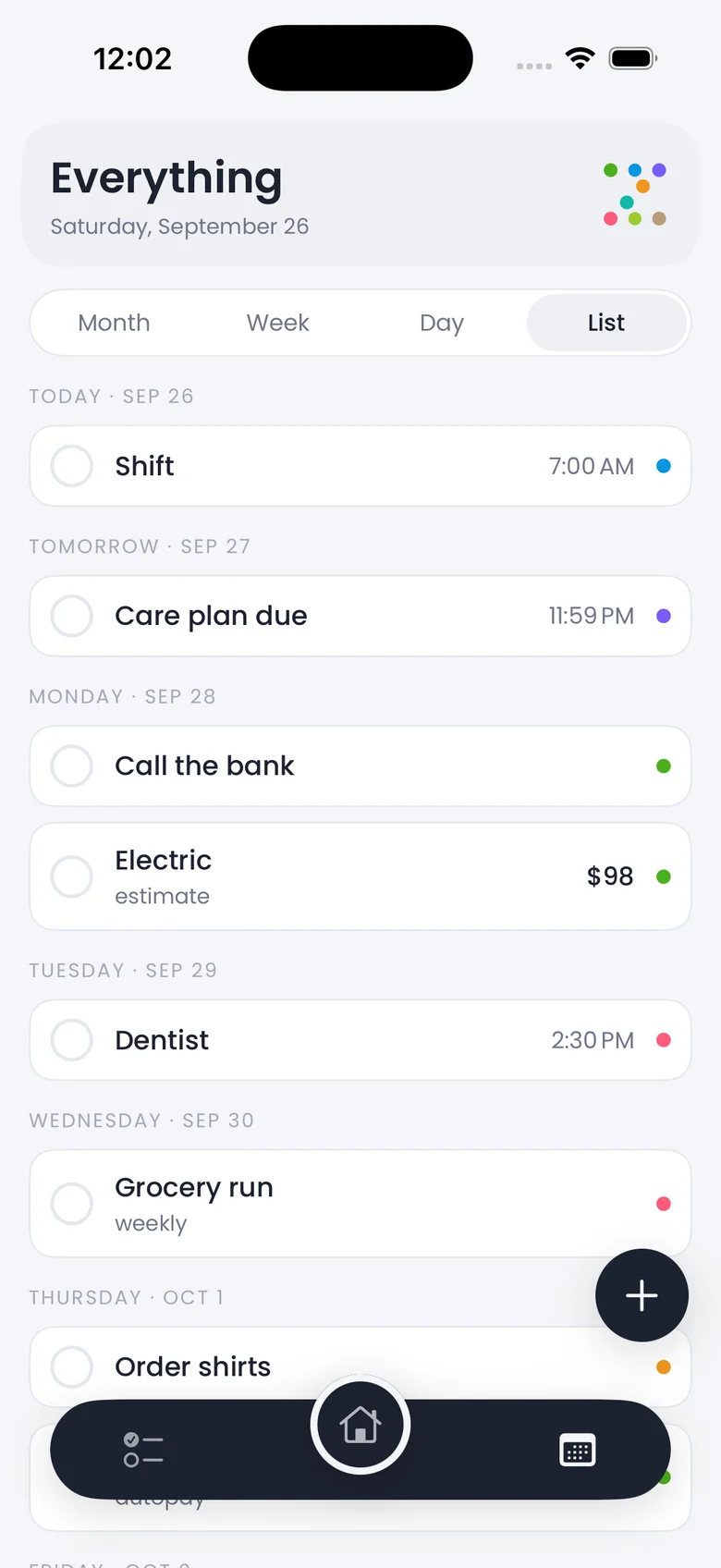
Green always means Finances. Coral is always Family. The tile, the dots under a day, the tint behind a block, the check when it's done: one color each, everywhere. Zingcal comes with five calendars and you can add up to eight.








Views for different brains
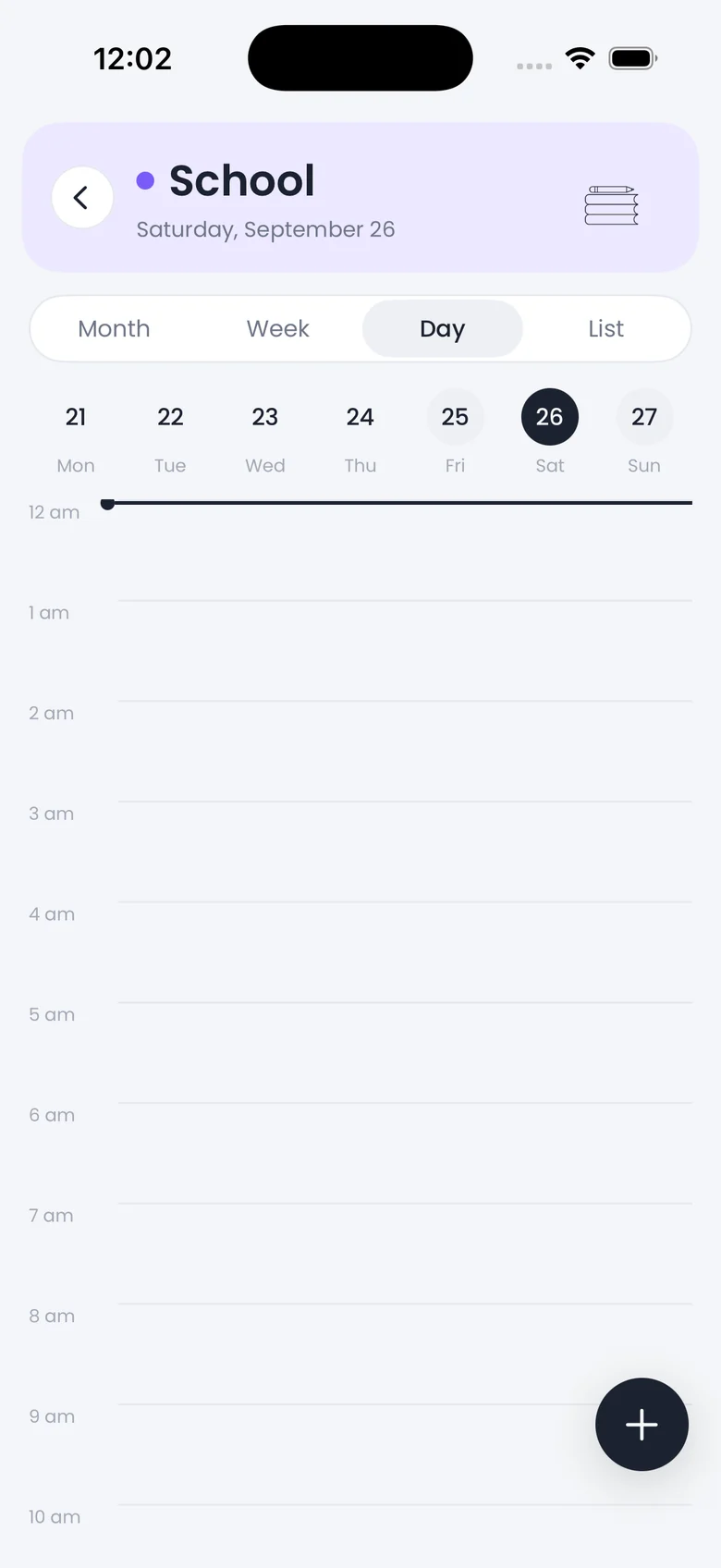
Four ways to look at the same week. Nothing else on the screen.
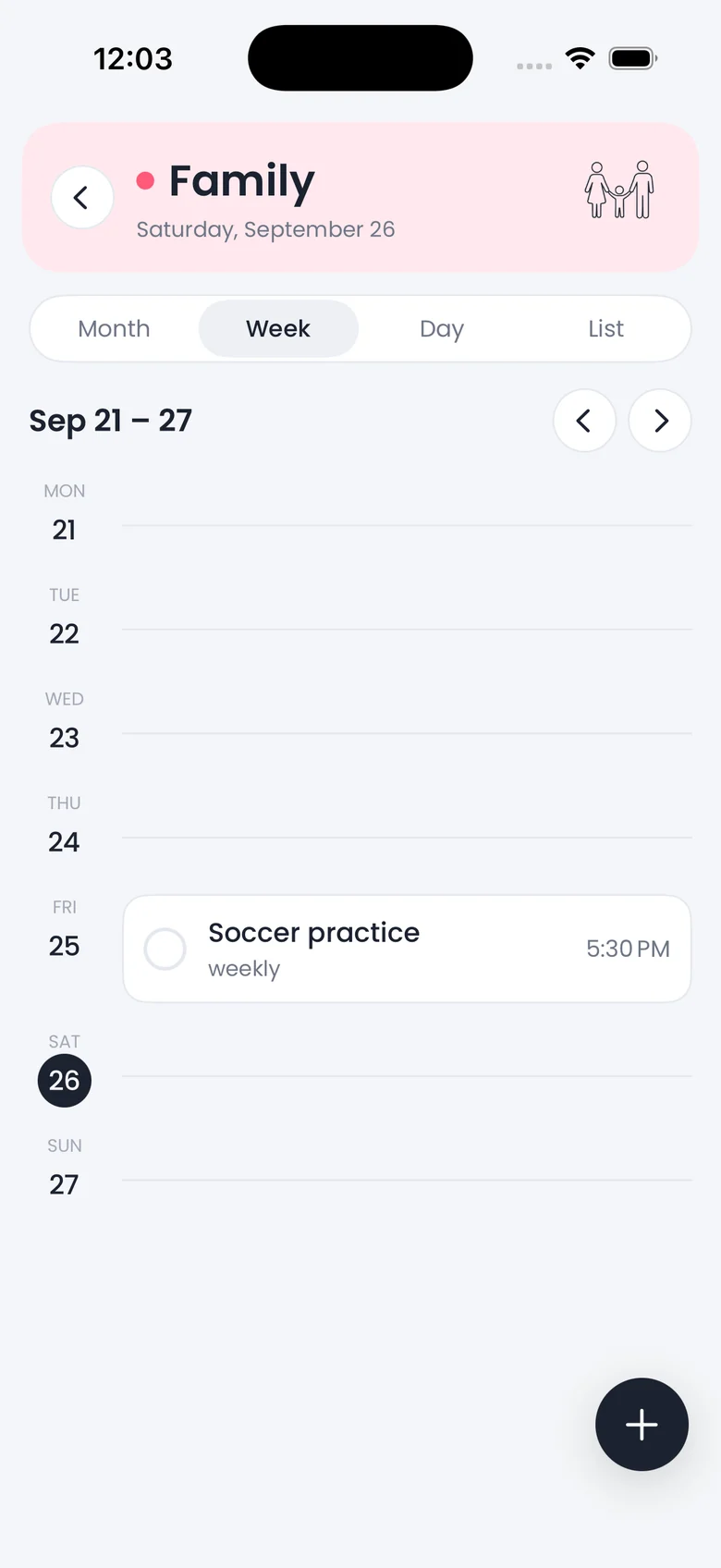
Month for the shape of things. Week for planning. Day for doing. List for people who hate grids. Switching is one tap, and each calendar remembers the view you left it in.
Made for a full life
Built by a nursing student and parent who runs a small business on the side.
Zingcal started as one person's answer to a week that would not fit in one calendar. The things that mattered had nothing to do with each other, except that they all landed on the same days.

Family
Practice on Tuesdays, the dentist on the 30th, whose turn it is. The coral calendar, and only that, when that's what you need to see.

School
Exams, clinicals, care plans due at midnight. Reminders that fire before, not after. Nothing from the other calendars in the way.

Business
Orders, uploads, the call you keep meaning to make. Amber, so it never gets mistaken for work you're paid by the hour for.
Money, honestly
Bills and paydays live on the green calendar, with the rest of your life around them.
Finances is a calendar like the others, with one extra: anything on it can carry an amount. Rent on the first, the paycheck on Friday, the vet next Tuesday, on the same grid as soccer practice and the exam.
Estimates say so. A guess is marked as a guess until you confirm what actually landed.
No bank login, ever. You type the numbers. There is no password of yours for anyone to lose.
Autopay ticks itself. Bills that come out on their own are marked paid on the day, without nagging you.
On your desk too
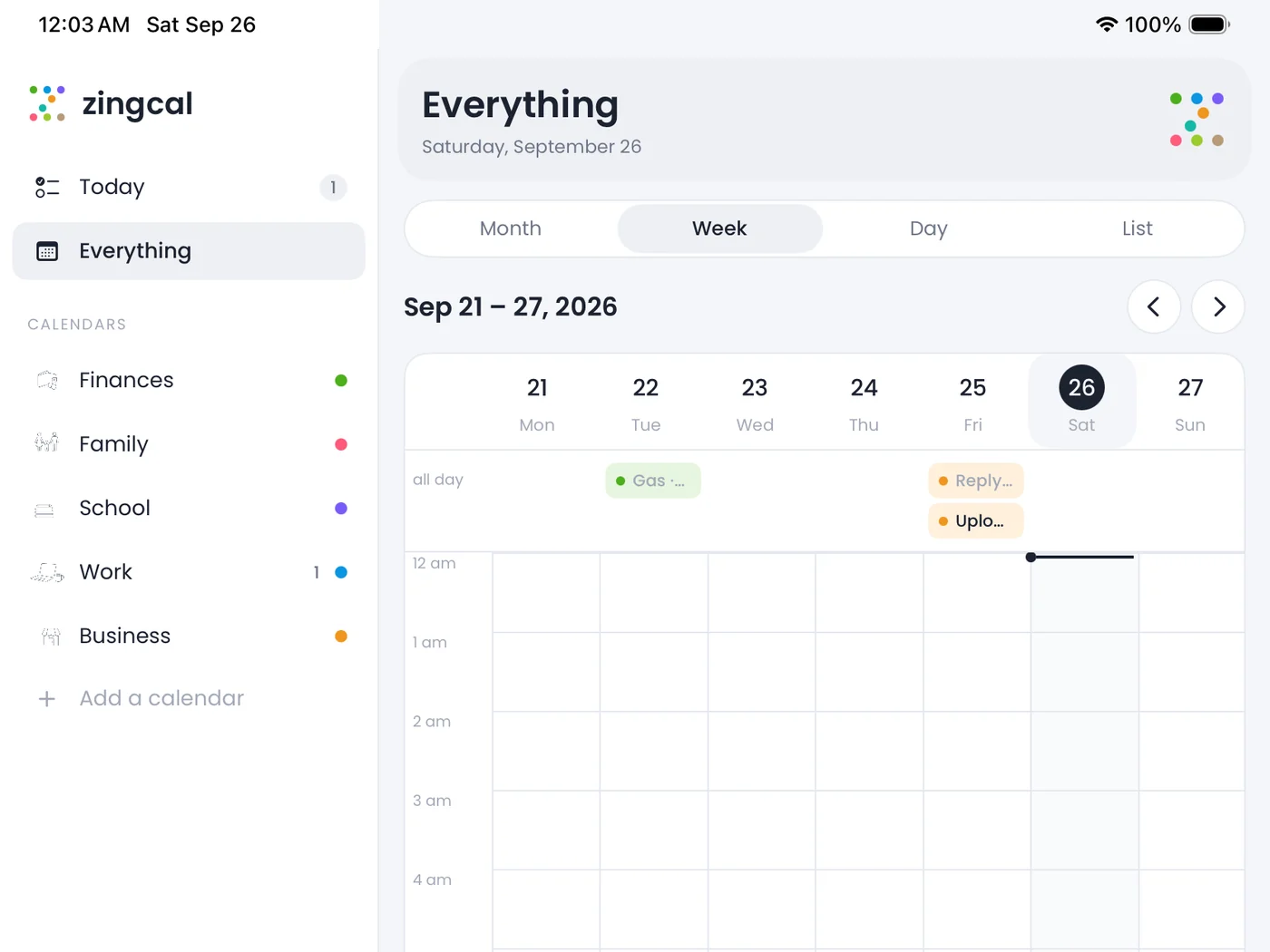
The same calendars, with room to spread out.
On iPad and Mac the calendars sit in a sidebar and the week opens as a grid. Click an empty hour to add something there. Month fills the window with the day's things written right in the cells.
Apple Watch is next: today's list on your wrist, and a complication in the color of whatever's up next.
Quiet by design
It talks like a calm friend who is good with a calendar.
Short sentences. Present tense. It tells you what's on the day and stops. It never cheers, never scolds, and never uses an exclamation mark.
Empty is a good state, not a nudge to add something.
The number first, when the number is the point.
Overdue is never red, and never a warning icon.
The most it will ever say about a good day.
The deal
Your data stays yours. Pay once, or not at all.
Nothing leaves your phone
Calendars, tasks, bills and notes are stored on your device. There is no account and no server of ours. Reminders are local notifications.
Free with one ad
A single banner, out of the way. Remove it with a one-time $2.99 purchase. No subscription, nothing that renews.
Yours to delete
Open anything and delete it. Delete a calendar and everything on it goes with it. Delete the app and it's all gone.
One home to see them all.
Free on the App Store for iPhone, iPad and Mac.
The listing still carries the app's earlier name, Burrow, until the Zingcal update lands. Same app, same developer.